AI-assisted content: drafted with AI tools, then fact-checked and edited by Jeremy Cruz. How we work.
Key takeaways
- Use payment accounts registered in your own name; name mismatches are the top cause of withdrawal delays.
- Complete KYC before your first withdrawal request.
- Only deposit what fits your entertainment budget, and never borrow to play.
Common payment methods
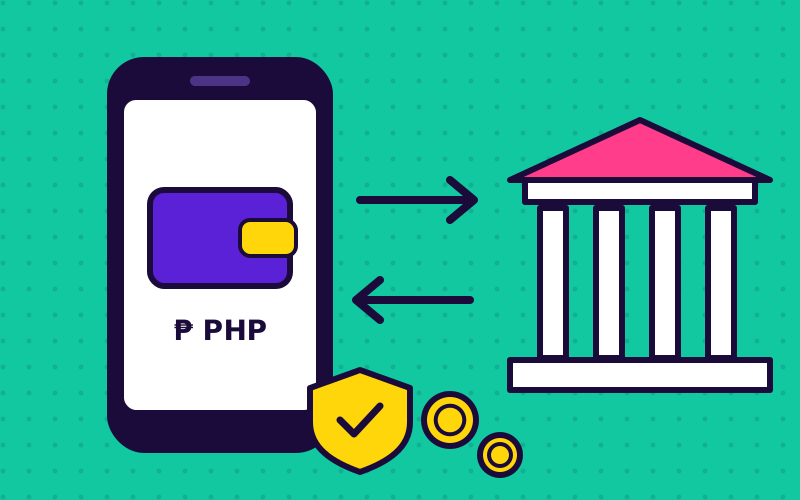
Filipino players overwhelmingly use e-wallets. The methods listed on GameZone can change, so always check the cashier screen, but these are the ones you will most often see in the Philippine market:
- GCash: the most widely used e-wallet in the country.
- Maya: e-wallet and digital bank.
- Online banking / InstaPay, where offered.
E-wallets and banks in the Philippines are supervised by the Bangko Sentral ng Pilipinas (BSP). That oversight covers the wallet provider, not the gaming site, so you still need to pick a licensed operator. See our legit check.
How to deposit (typical flow)
- Log in through the official site or app (see our login guide).
- Open Cashier / Deposit and choose a method.
- Enter the amount. Start small, within your budget.
- Confirm in your e-wallet app. Check the merchant name before approving.
- Wait for the balance to update; e-wallet deposits are usually quick.
How to withdraw
- Make sure KYC is complete.
- Check any bonus wagering requirements. Active bonuses often block withdrawals.
- Request the withdrawal to an account in your own name.
- Keep the reference number until the money arrives.
| Stage | What usually happens |
|---|---|
| Request submitted | Status shows "pending" |
| Review | Operator checks KYC, bonus terms and account activity |
| Approved | Money sent to your e-wallet or bank |
| Received | Timing depends on method and checks; e-wallets are usually faster than banks |
If your withdrawal is delayed
- Is your KYC fully approved?
- Does the payout account name match your GameZone profile?
- Do you have an unfinished bonus wagering requirement?
- Is it a weekend or holiday (bank transfers)?
- Still stuck? Contact official support with your reference number, in writing.
Payment safety rules
- Never send money to a "personal agent" account. Use the in-app cashier only.
- Never share e-wallet MPIN or OTP.
- Do not borrow, use credit or "5-6" lending to fund play.
- Set an e-wallet transfer limit if your app offers one.
Budgeting tips are on our responsible gaming page. Players outside the Philippines should read the Southeast Asia players guide, since payment and legal rules differ. More answers are in the FAQ and on the Games hub.
Frequently asked questions
Can I withdraw to someone else's GCash?
Generally no. Operators require payouts to accounts in the verified player's own name.
Why was my withdrawal rejected?
Common reasons are incomplete KYC, a name mismatch, or unmet bonus wagering requirements.
Is there a minimum deposit?
Minimums vary by payment method and can change. Check the cashier screen for the current limits.
Update history
This guide is reviewed regularly for content freshness. Last updated .
- : Re-checked the e-wallet tips and added the "delayed withdrawal" checklist.
- : Added the payment safety rules.
- : First published.
21+ only. Play responsibly. Real-money gaming may be illegal where you live. Read our disclaimer and responsible gaming guide.
Related GameZone guides

GameZone Mobile App Guide
Play GameZone on mobile: browser vs app, how to install safely, avoiding fake APKs, saving mobile data and fixing lag on budget Android phones.
Read guide →
Is GameZone Legit & Safe?
Is GameZone legit? How to verify licensing, spot fake GameZone sites, judge fairness and protect your money and data. Practical 10-point checklist.
Read guide →
GameZone Guide for SEA Players
GameZone guide for gamers in Malaysia, Singapore, Indonesia and Southeast Asia: legal reality, VPN risks, free card-game alternatives and safe mobile gaming.
Read guide →