AI-assisted content: drafted with AI tools, then fact-checked and edited by Jeremy Cruz. How we work.
Key takeaways
- Sign up only through the official GameZone site or a verified app listing.
- Expect OTP via SMS and ID verification (KYC) before withdrawals.
- Never share your OTP. No real support agent will ask for it.
Before you register
Make sure you meet the basics: you are 21 or older, you are in a place where online gaming is legal for you (see our Southeast Asia guide), and you have a valid government ID and a mobile number in your own name. If you are still deciding whether GameZone is for you, read What Is GameZone first.
How to register (typical steps)
- Open the official site by typing the address yourself or using a link you trust. Do not click links from random SMS or Facebook pages.
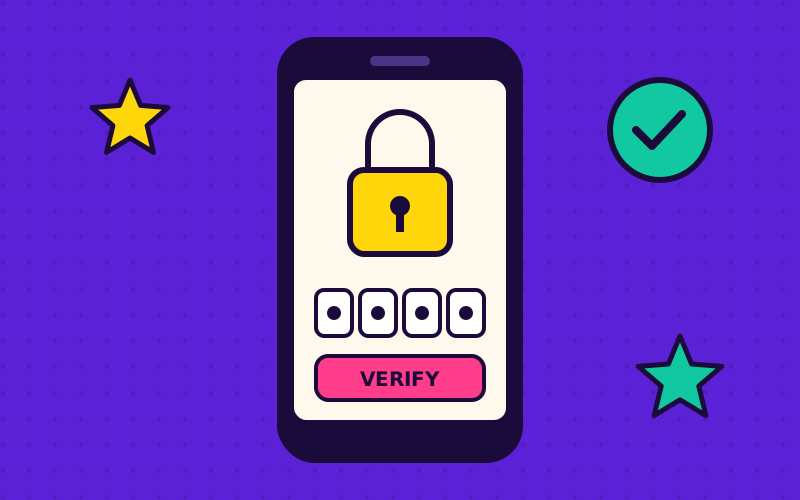
- Tap Register / Sign up and enter your mobile number.
- Enter the OTP sent by SMS.
- Create a strong password: at least 12 characters, not reused from other apps.
- Fill in your profile with your real name and birth date exactly as on your ID.
- Accept the terms after actually reading the age, bonus and withdrawal rules.
ID verification (KYC)
Regulated operators must check who you are to stop underage play, fraud and money laundering. Expect to upload:
- A clear photo of a valid government ID (for example passport, driver's licence, UMID, PhilSys national ID).
- A selfie, sometimes holding the ID.
- Occasionally proof of address or source of funds for larger transactions.
Your personal data in the Philippines is protected by the Data Privacy Act; the National Privacy Commission explains your rights. Our own approach to data is in our privacy policy.
Logging in safely
- Bookmark the official site and always use the bookmark.
- Turn on any extra security the operator offers (OTP on login, device alerts).
- Log out on shared phones and never save passwords on them.
- Check whether your email or number has shown up in a data breach on Have I Been Pwned.
Phishing red flags
- An SMS saying your account is "locked" with a link to "verify".
- A "support agent" on Messenger or Telegram asking for your OTP or password.
- A site with a slightly misspelled name or a different domain ending.
- Offers of "guaranteed winning" accounts or hacks.
In the Philippines you can report scams to the Cybercrime Investigation and Coordinating Center (CICC).
Troubleshooting
| Problem | Try this |
|---|---|
| OTP not arriving | Check signal, wait 60 seconds, request again once, check SMS blocking apps. |
| Forgot password | Use the official "Forgot password" link; reset via OTP. |
| KYC rejected | Retake photos in good light, no glare, all four ID corners visible, name matches profile. |
| Account locked | Contact official support through the app or site only. |
Next steps
Once your account is verified, read our deposit and withdrawal guide, install safely with the mobile app guide, and set your limits using the responsible gaming checklist. Questions? Try the FAQ or contact us.
Frequently asked questions
Why does GameZone need my ID?
Licensed operators must verify age and identity to prevent underage gambling, fraud and money laundering. Withdrawals typically need completed KYC.
Can I have two GameZone accounts?
Operators normally allow only one account per person. Multiple accounts can lead to closure and forfeited balances.
Someone asked for my OTP, what do I do?
Do not share it. Change your password, contact official support through the official site, and report the scam to the CICC.
Update history
This guide is reviewed regularly for content freshness. Last updated .
- : Added the phishing red-flags list and updated the troubleshooting table.
- : Expanded the KYC document section.
- : First published.
21+ only. Play responsibly. Real-money gaming may be illegal where you live. Read our disclaimer and responsible gaming guide.
Related GameZone guides

GameZone Deposits & Withdrawals
How deposits and cash-outs typically work on GameZone: e-wallets like GCash and Maya, verification, processing times, limits and mistakes to avoid.
Read guide →
GameZone Mobile App Guide
Play GameZone on mobile: browser vs app, how to install safely, avoiding fake APKs, saving mobile data and fixing lag on budget Android phones.
Read guide →
Is GameZone Legit & Safe?
Is GameZone legit? How to verify licensing, spot fake GameZone sites, judge fairness and protect your money and data. Practical 10-point checklist.
Read guide →